A self-built product for fast, evidence-based UX audits
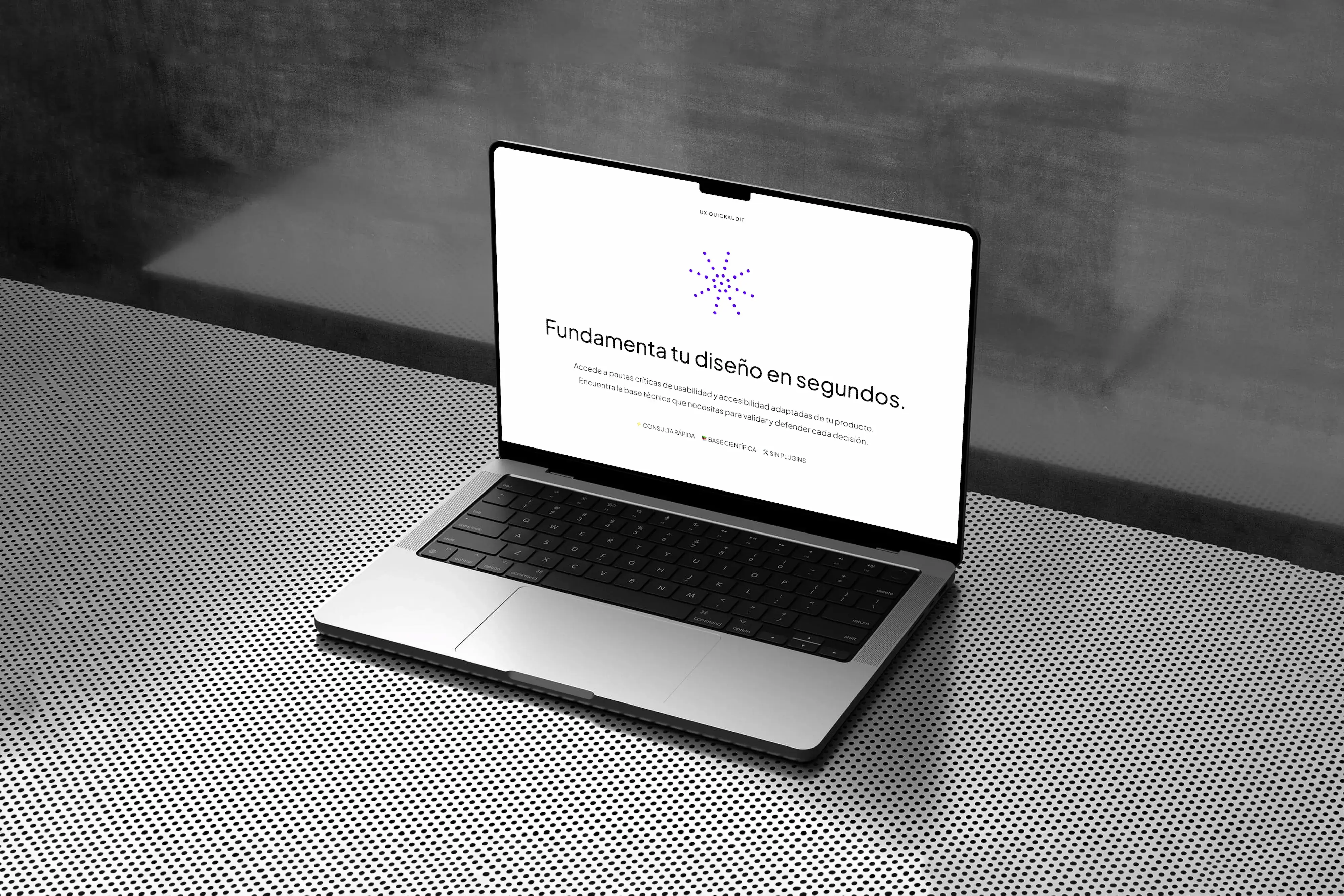
Impact: Full UX audit in under 10 minutes
Stack
- Figma
- VS Code
- GitHub
Project overview
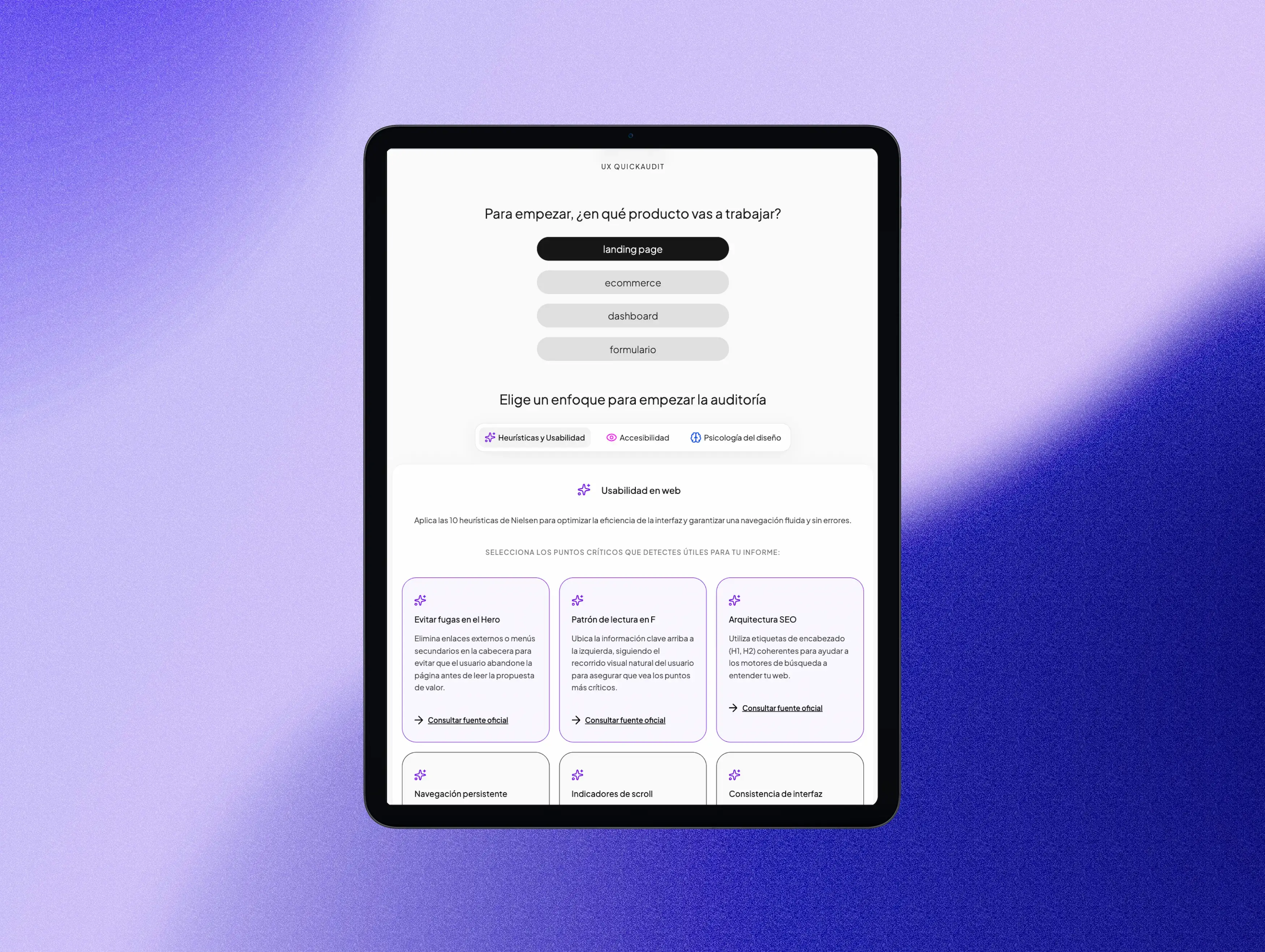
Designers often leave accessibility, heuristics, and design psychology for the end, or ignore them altogether. There is no quick tool to consult these foundations in a way that is contextualized to the type of product being designed. UX QuickAudit solves this: select the product type and focus, and get technical arguments ready to copy and paste into any document. No registration, no plugins, no friction, 96 unique audit points combining heuristics, WCAG accessibility, and design psychology.
Challenge
The visual layer tends to grab all the attention in the design process, so accessibility and usability are often postponed or omitted. Lack of contextualized tools: while NNGroup or W3C rules exist, they are not organized by product type or in a directly usable format. The goal was not just to inform, but to empower the designer to justify decisions with a technical base, not just an aesthetic one.
My Role · Product Design & Front-End Development · Solo: framework definition, UI design, build.

Objectives
Product Objectives
- Create a frictionless quick-reference tool
- Demonstrate UX criteria and frontend development capabilities
- Launch a functional and scalable product
User Objectives
- Obtain relevant audit points for their specific product type in seconds
- Justify design decisions with a technical foundation in presentations
- Copy arguments directly without having to write them from scratch
Tools
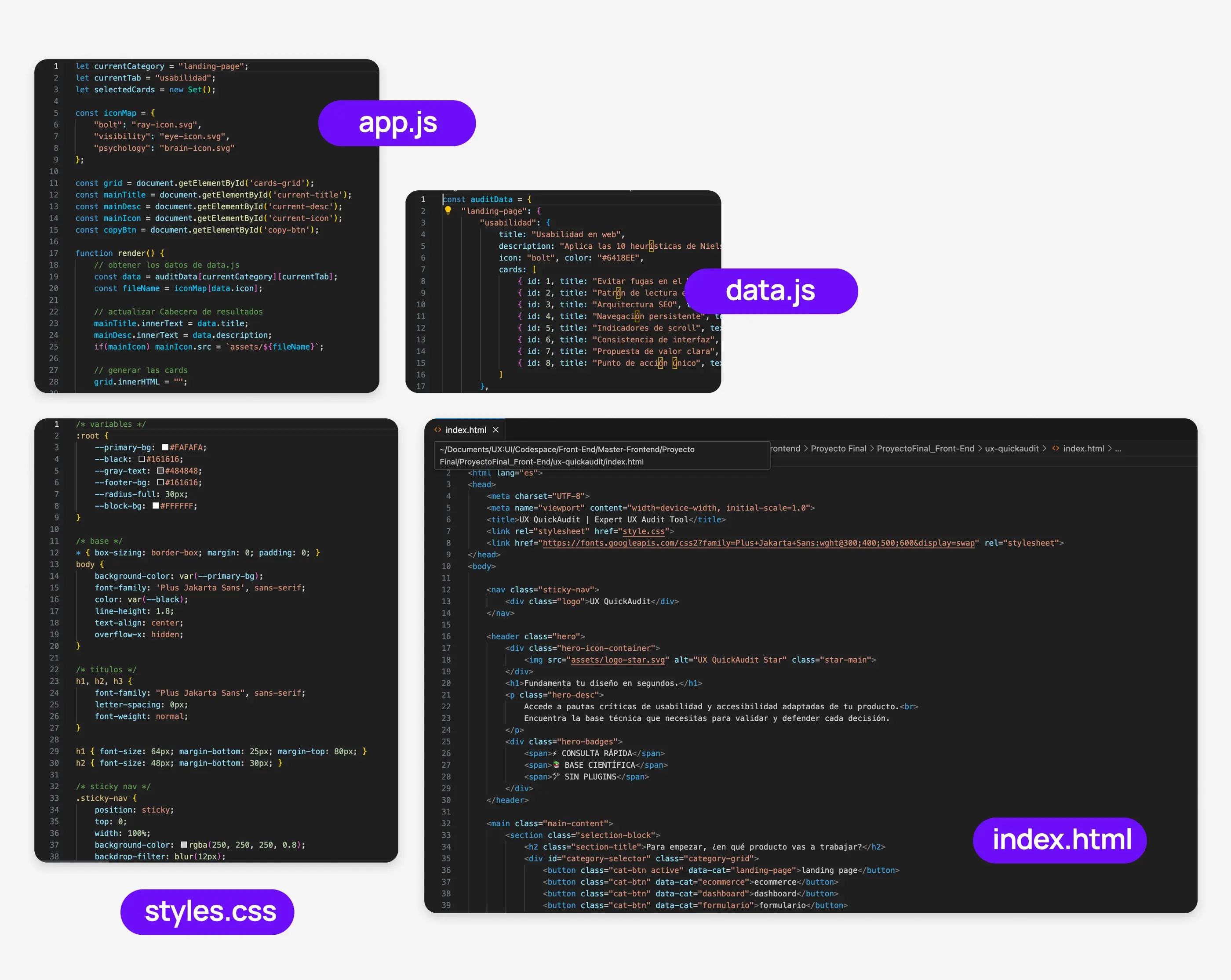
- HTML, CSS, JavaScript: DOM manipulation and state management with JSON.
- Modular approach: Reusable and scalable component structure.
- Deployment: Published and available on GitHub Pages.
1. Product Decisions
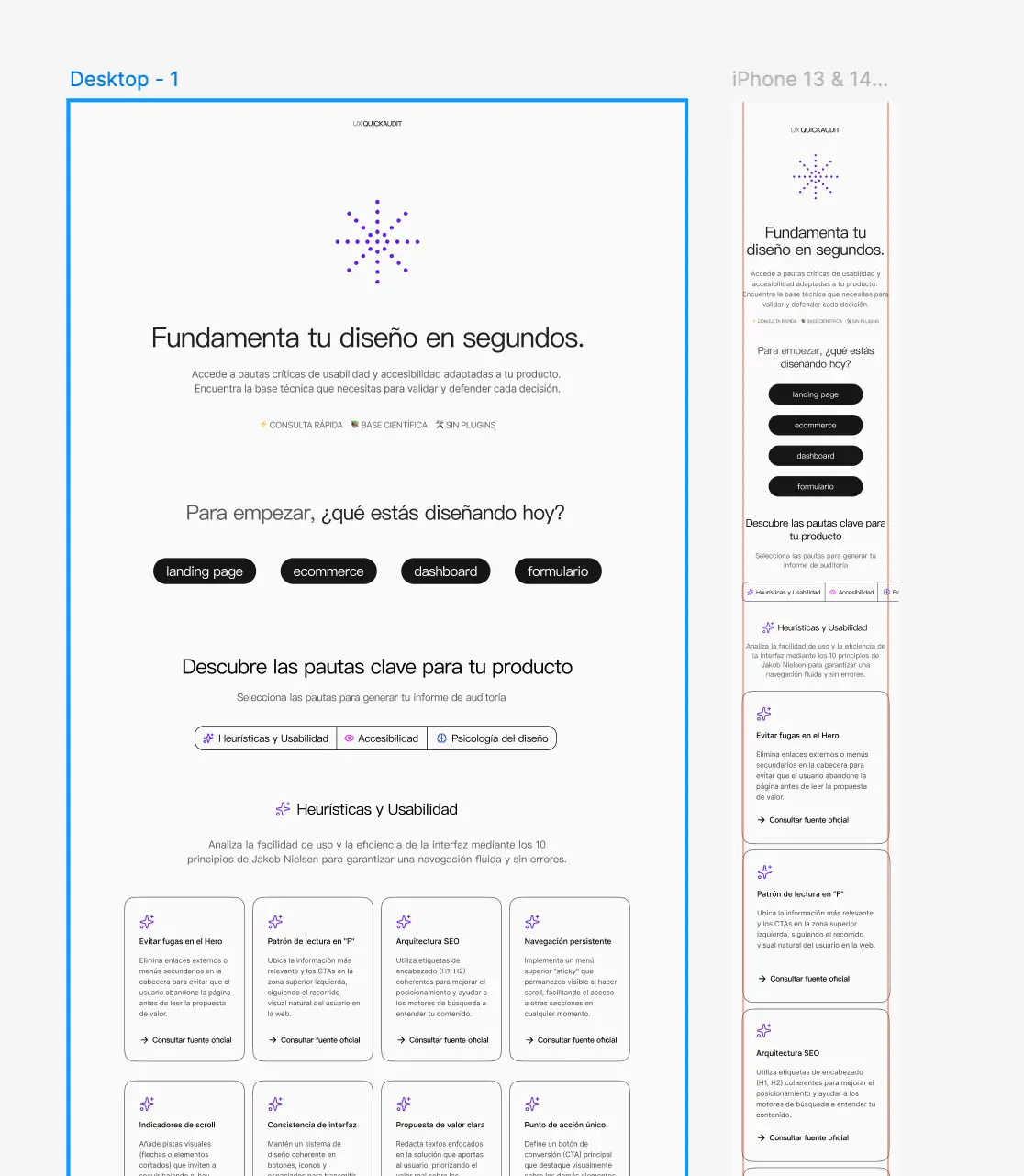
Four product types were chosen (landing page, ecommerce, dashboard, and form) as they are the most common in the UX/UI market and have distinct usability needs.
The three audit categories (heuristics and usability, WCAG accessibility, and design psychology) cover the aspects most often overlooked in daily work.
The copyable report was a core feature from the start to ensure real utility: not just a passive reference site, but a tool designers can use directly in presentations and documentation.
| Identified Problem | Design Decision | Expected Impact |
|---|---|---|
| Generic tools don't contextualize rules | 4 product types × 3 focuses = 96 unique audit points | Relevant results for each design context |
| Reference sources are scattered | Each point links directly to NNGroup, Laws of UX, or W3C | Scientific basis and credibility for every argument |
| Output must be usable outside the tool | "Copy to clipboard" report with a single click | Real utility: the designer uses the output directly |
| Keep the project lightweight | Vanilla JavaScript without frameworks: data.js + app.js architecture | Instant performance and maintainable code |
2. User Flow
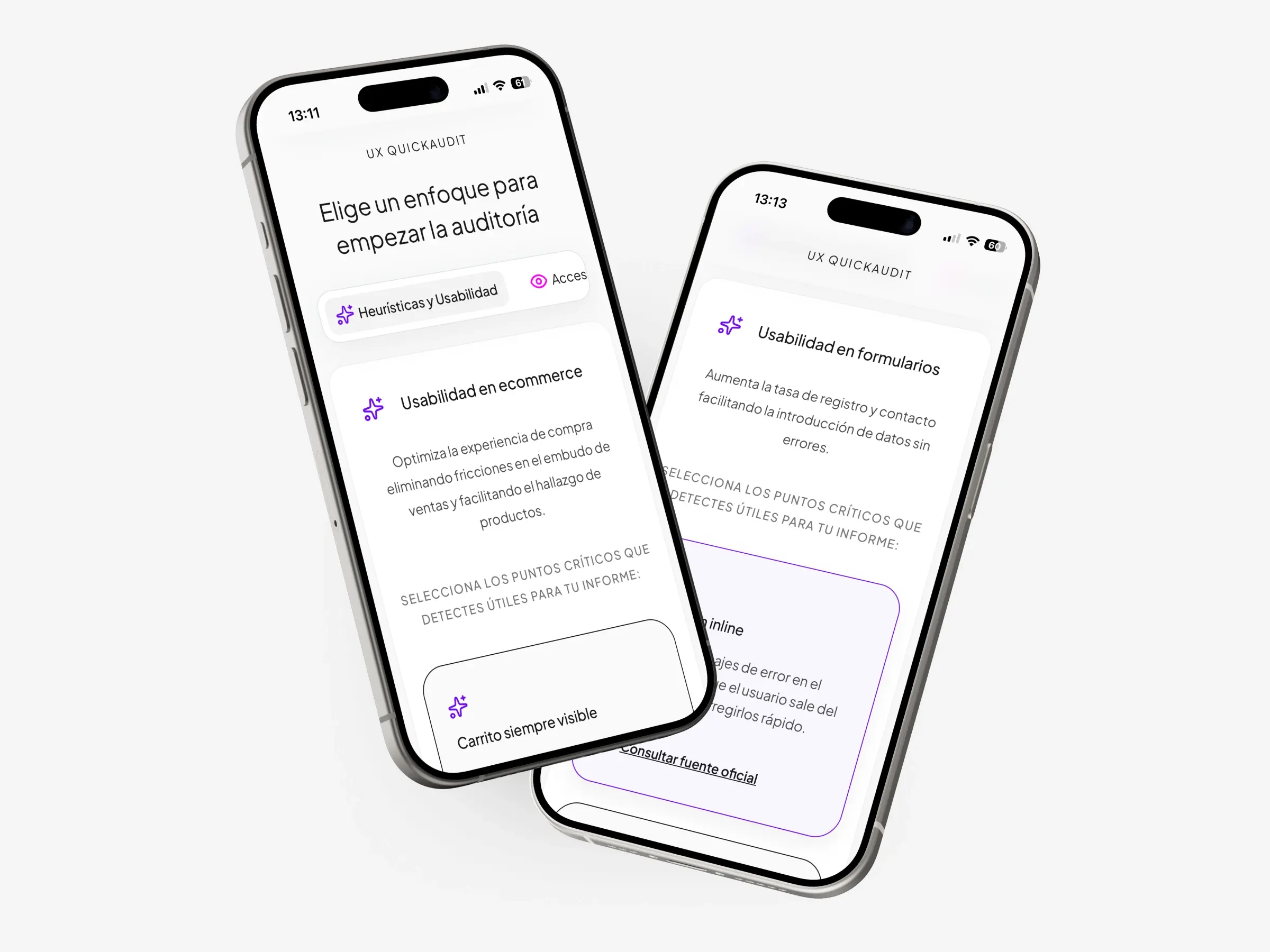
- Step 1: Product Selection: The user chooses the product type (landing page, ecommerce, dashboard, or form). Each selection filters content instantly.
- Step 2: Focus Selection: The user selects the audit area. The combination of product + focus determines the content (8 specific cards per combination, totaling 96 points).
- Step 3: Card Review: 8 cards are dynamically rendered. The user marks relevant cards to be included in the report.
- Step 4: Report Generation: Clicking "Copy selected report" copies only the marked content to the clipboard, including category, title, and technical argument.
3. Cards Structure
- Each card combines a usability rule applied to the product, relevant WCAG accessibility points, and a technical argument ready to copy.
- Sources link directly to Nielsen Norman Group, Laws of UX, and W3C.
- The structure is modular: adding new products or categories doesn't require rewriting the logic.
4. Technical Development
The biggest challenge was the filtering logic and responsive adaptation for all devices.
A scalable component architecture in Vanilla JavaScript was chosen to keep the project lightweight and demonstrate core language mastery.
- index.html: semantic site structure.
- style.css: main stylesheet with responsive design.
- app.js: interaction logic and DOM management.
- data.js: structured object with all audit content.
- assets/: icons SVG and visual assets.
- README.md + LICENSE: documentation and MIT license.
- Separation of Concerns: Content lives in data.js as an exported JS object, not hardcoded in the HTML. app.js listens for events and renders cards dynamically.
- Performance: Data is loaded at the start, making transitions between products and focuses instant without asynchronous requests.
a) Key Deliverables
UX QuickAudit is a functional, live tool that allows auditing the user experience of any digital product in under 10 minutes, covering 96 evaluation points organized by category. Built entirely with vanilla HTML, CSS, and JavaScript without frameworks, it proves that design judgment and technical execution can coexist without relying on complex tech stacks.
b) Design Learnings
Building a tool that I use myself changed how I understand product design. The decision to avoid frameworks wasn't just technical, it was about design discipline: if you can't control it without React, you don't fully understand it. I also learned that documenting your own project is harder than documenting a client's: it's easy to assume context the reader doesn't have, forcing you to be more explicit and honest about the decisions made.
c) Next Steps
- Integrate analytics to measure real usage and validate whether the 96 evaluation points are evenly distributed or if certain categories are ignored.
- Develop an exportable report feature (PDF or JSON) to make audit results easily shareable with teams or clients.
- Add a finding prioritization layer (critical / high / enhancement) to make the output more actionable rather than purely diagnostic.
Outcome
Functional tool, published and accessible without installation or registration. Covers the 4 most frequent digital product types in the UX/UI market. Generates technical arguments based on NNGroup, Laws of UX, and W3C ready to use. Next iteration: Resource search engine, expanded directory, and analytics to measure real usage.